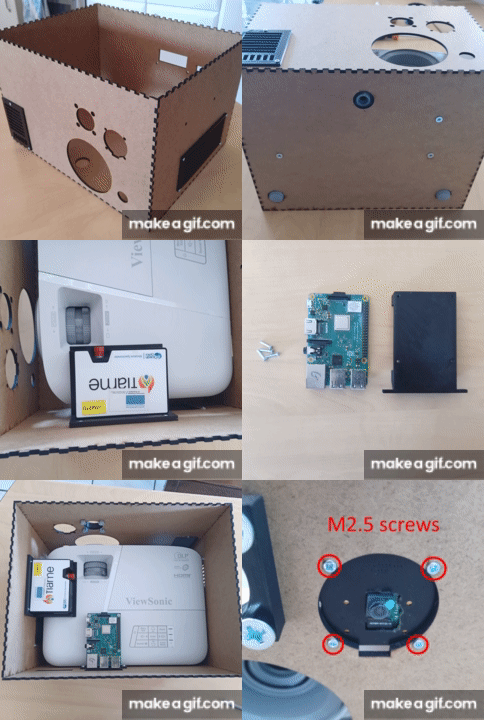
ONE-PIX is designed to be built in a standard fablab or makerspace, not a specialised optics lab. Here is what the build actually involves.
What you will need
The build combines standard fablab equipment with a short list of off-the-shelf components: a laser cutter for the MDF enclosure, a 3D printer for the internal fixtures, and the parts listed below. No soldering iron is required: all of the wiring is plug-in cables.
Bill of materials
Reference
Computing
Raspberry Pi 4B, 8 GB RAM
Spectrometer
Ocean Insight (Seabreeze compatible) or Avantes
Divergent lens
Thorlabs LC1715-ML
Optical tube
Thorlabs SM1M30
Fiber support
Thorlabs threaded SMA support
Optical fiber
600 µm core multimode fiber
Video projector
ViewSonic PA503X
RGB camera
Raspberry Pi Camera Module V3, CSI cable over 300 mm
The general build sequence
1
Laser-cut the MDF enclosure
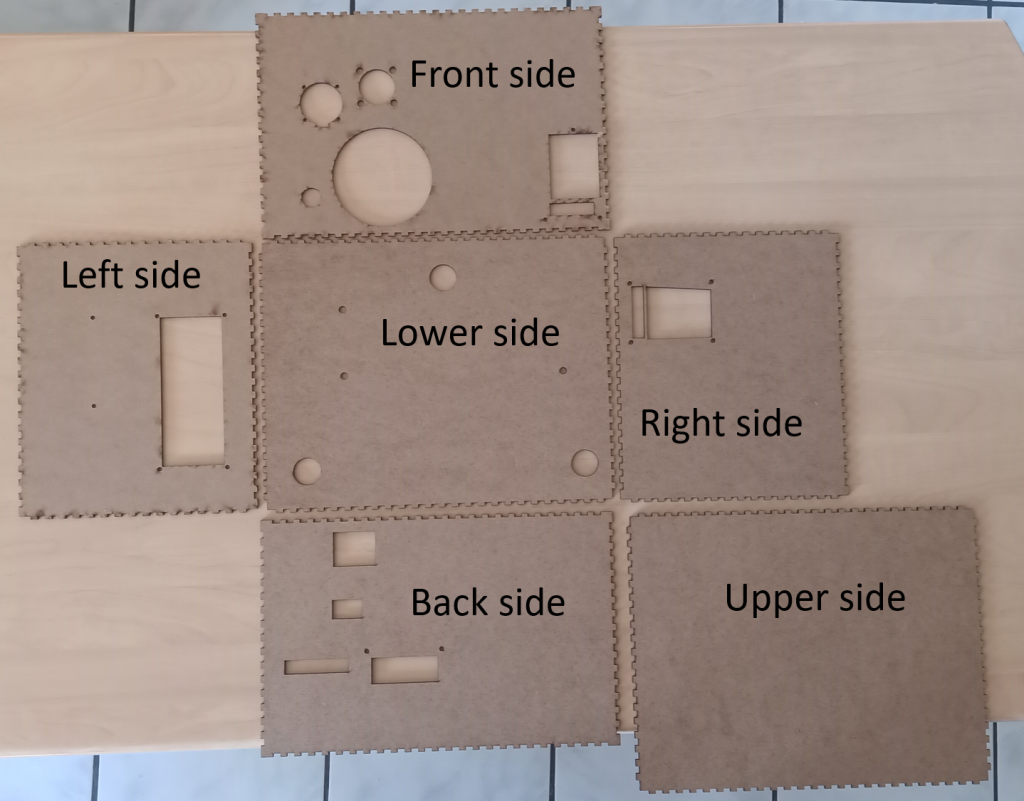
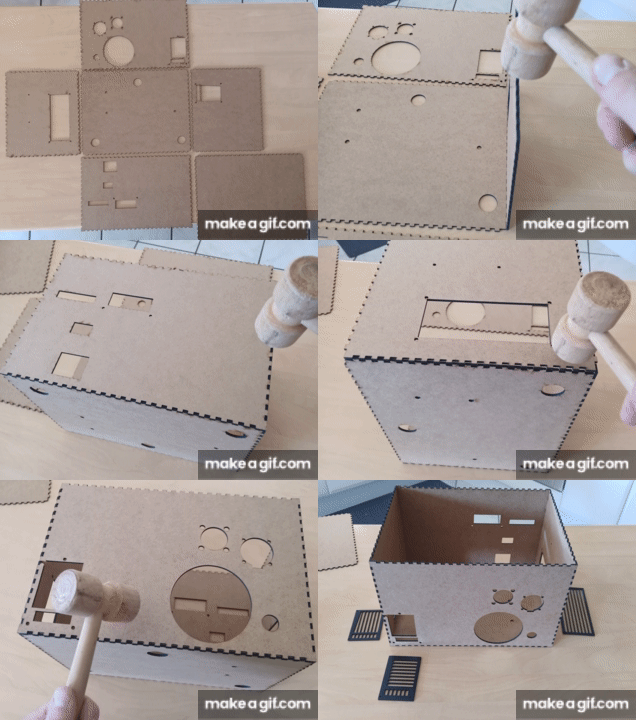
Cut the six nested panels of the box from 3 mm MDF board with a laser cutter. The cutting plans are provided in the hardware_build folder of the ONE-PIX GitHub repository.
2
3D print the internal parts
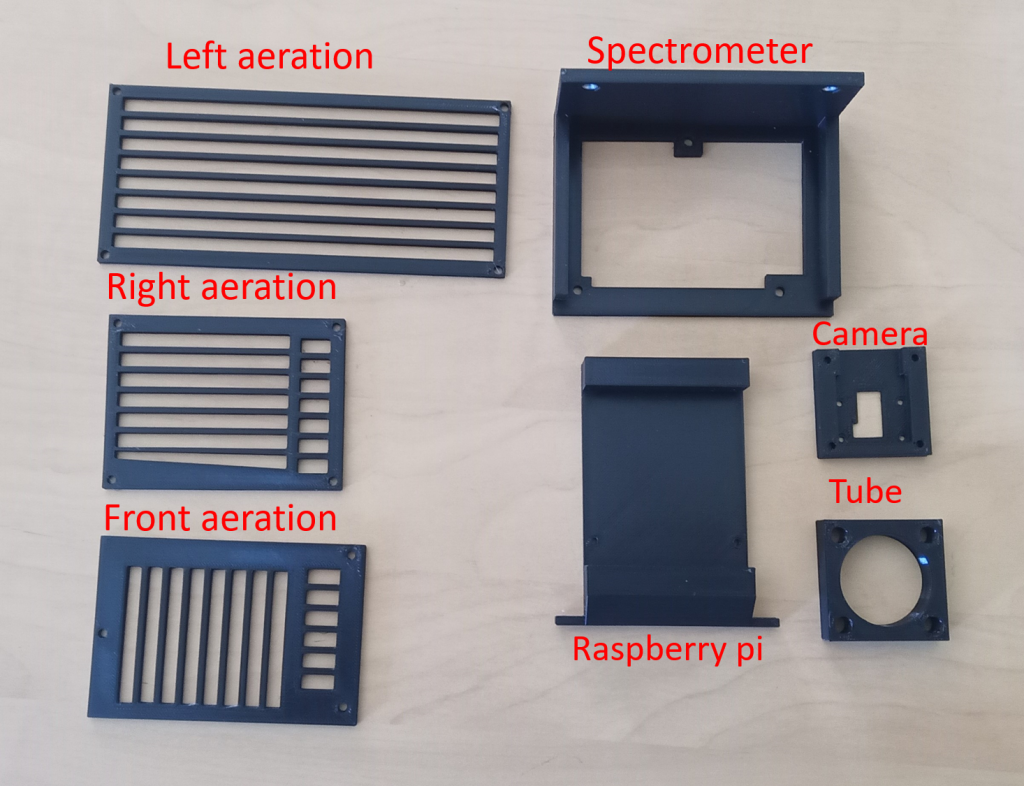
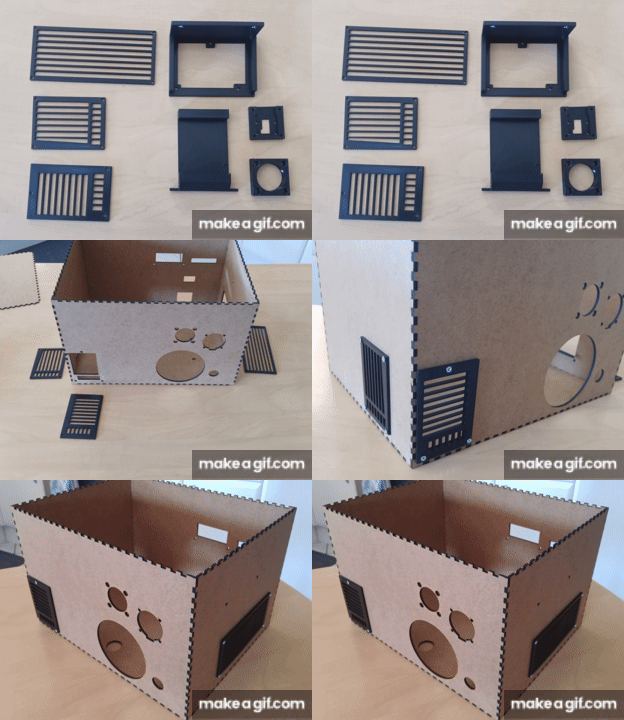
Print the seven STL parts provided in the same folder: four component fixations and three aeration parts.
3
Mount the components
Fix each component with the matching screws: M2 for the RGB camera, M2.5 for the Raspberry Pi, M3 for the ventilation, M4 for the projector and M6 for the optical tube support.
4
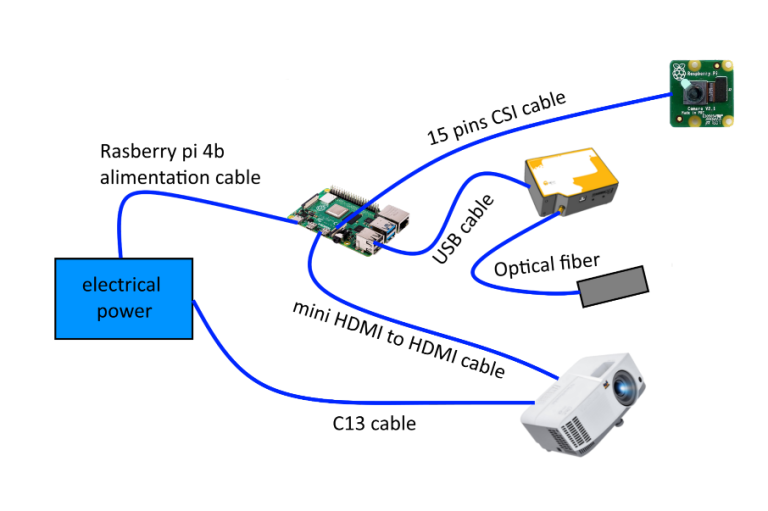
Wire the kit
Connect the camera CSI cable to the Raspberry Pi, the optical fiber between the spectrometer and the optical tube, the HDMI cable from the Raspberry Pi to the projector, the spectrometer USB to a USB 2.0 port, then the USB-C and C13 power cables.
5
Install the software and run your first acquisition
Install the open source ONE-PIX software on the Raspberry Pi, follow the calibration procedure in the documentation, then run your first scene acquisition and reconstruction.
Where to get exact files and instructions
Exact CAD files, the bill of materials and step-by-step assembly instructions are maintained in the hardware build folder of the ONE-PIX GitHub repository, kept up to date as the design evolves with the community. If you would rather skip the build, we can also supply a pre-assembled kit.